
The four gates a dashcam fleet card passes before a batch ships: full-capacity read-back, a 72-hour loop-record run, power-cut recovery, and lot consistency. What each gate catches, and what to put on the purchase order.

Fleet cards rarely fail on the bench. They fail in week three, in one vehicle, and the driver reports “the camera stopped recording” rather than anything a test would have caught. That gap between what a test measures and what a vehicle does is the whole problem, and it is why we release dashcam batches against four gates instead of a capacity check.
The short answer
Buy on three axes at once, and write all three into the purchase order:
- Capacity the camera’s file system can actually address. A camera that only mounts FAT32 will not use a 64 GB card properly, however genuine the card is.
- A speed class the camera’s write pattern can hold, at temperature, when the card is nearly full — not just when it is new and empty.
- An endurance basis in writing. “High endurance” on a label is a marketing phrase; a write-cycle rating or a TBW figure is a claim you can compare.
Then add the fourth thing almost nobody asks for: how long the card ran in an actual camera, and how many frames it dropped. That single question sorts suppliers faster than any specification sheet.
The four gates
We run these in order on the production lot, not on a sample pulled from the line.
| Gate | What is checked | Pass criterion | What it catches |
|---|---|---|---|
| 1. Full-capacity read-back | Every addressable block written, then read and compared | Zero mismatched blocks; reported capacity equals usable capacity | Fake-capacity and downgraded die, which pass a file-copy test |
| 2. 72-hour loop run | The camera’s own firmware, on the camera’s own power, writing continuously against a full card | No dropped frame in the last 24 hours; no unreadable segment | Thermal throttling and controller stalls, which appear on day two |
| 3. Power-cut recovery | Power removed mid-write, repeatedly, at random points | Last completed clip is playable; file system mounts without repair | Cards that leave a corrupted tail and a camera that refuses to mount |
| 4. Lot consistency | Ten random units against the approved sample: capacity, class, controller, die marking | Identical within the agreed tolerance | A batch that passes as a sample and drifts as a lot |
Gate 2 is the one buyers skip, and it is the one that decides whether a complaint arrives in week three. A bench test writes for minutes; a dashcam writes for the life of the vehicle in a cabin that reaches 70 °C in summer. If a supplier quotes a loop-run result, ask which camera it ran on and what powered it — a run on a bench supply does not reproduce a vehicle’s voltage sag.
Gate 4 exists because “same specification” is not “same batch”. Two lots can carry the same printed capacity and different silicon. The die marking is the only thing that tells you which one arrived.
The card we supply for continuous-recording work, with its measured dimensions and test method, is on the monitoring microSD card specification page. That is the unit these gates run against.
What to write into the specification
Ten checks collapse into six decisions. Each row is a line that belongs on the PO, not in a conversation.
| Decision | The trap if you leave it vague | What goes on the purchase order |
|---|---|---|
| Capacity and file system | Camera firmware only mounts FAT32, so the 64 GB card is mounted as a workaround or not at all | Capacity band, file system as shipped (FAT32 or exFAT), cluster size |
| Speed class | Card hits its class when empty and loses it at 80% full, in heat | Class, plus the supplier’s statement of behaviour at high fill and at your operating temperature |
| Endurance | “High endurance” with no number behind it, so nothing to compare | Write-cycle rating, TBW, or warranty terms tied to continuous recording |
| Controller and flash pairing | Same capacity and class, different silicon, different behaviour on power loss | Controller family, flash vendor and grade; substitution requires new sample approval |
| Marking and packing | Every card looks identical, so a two-year-old card cannot be told from a new one | Fleet part number and lot code on the label; packaging a workshop can hand out |
| Test scope | Sample passes a quick format and a 1 GB copy, then fails in service | Full-surface verification, sustained write soak, interrupted-write, temperature soak, camera-in-the-loop |
| Replenishment | Cards are treated as a one-off purchase and fail in a wave | Service life assumption, rotation interval, replacement order size, failure-return route |
If you only fill in two rows, make them speed class and test scope. Those are where a cheap quote and an honest quote diverge.
Five things that actually kill fleet cards
Heat, not speed. A card that benchmarks well on a desk can throttle inside a sealed housing behind a windscreen. Thermal behaviour is not on the label and it is not in the datasheet most buyers receive. It only shows up in a loop run at temperature.
Power disappearing mid-write. Ignition-off, hardwired kit timers and battery-protection cutoffs all remove power without warning. Cards that handle an interrupted write lose the last few seconds; cards that do not lose the file system.
Capacity that was never really there. Downgraded die passes a file copy and fails a full-surface read-back. Test a sample from every lot, including ours.
Lot drift. The first shipment is right because you approved a sample. The fourth is not, because the flash changed and nobody said so.
A camera that cannot mount the card you bought. The most common killer, and the cheapest to avoid: get the camera vendor’s supported file system and maximum tested capacity in writing before choosing a capacity band.
If the camera is FAT32-only
This single constraint invalidates more orders than anything else on this page. FAT32 cannot hold a file larger than 4 GB and is not intended for volumes above 32 GB; exFAT was designed for flash media and large volumes and has no practical per-file limit at dashcam scale. Microsoft documents both limits directly in its file-system comparison and exFAT specification (see Sources).
In practice: a FAT32-only camera caps you at 32 GB, and long clips split at the 4 GB boundary. That splitting is normal, but it changes how footage is searched afterwards and how the camera names files. A camera that supports exFAT can use 64 GB and 128 GB, which stretches the retention window before the loop overwrites what you might need after an incident.
Do not infer support from the slot. A microSD slot accepts any capacity the firmware was written to handle.
What we supply
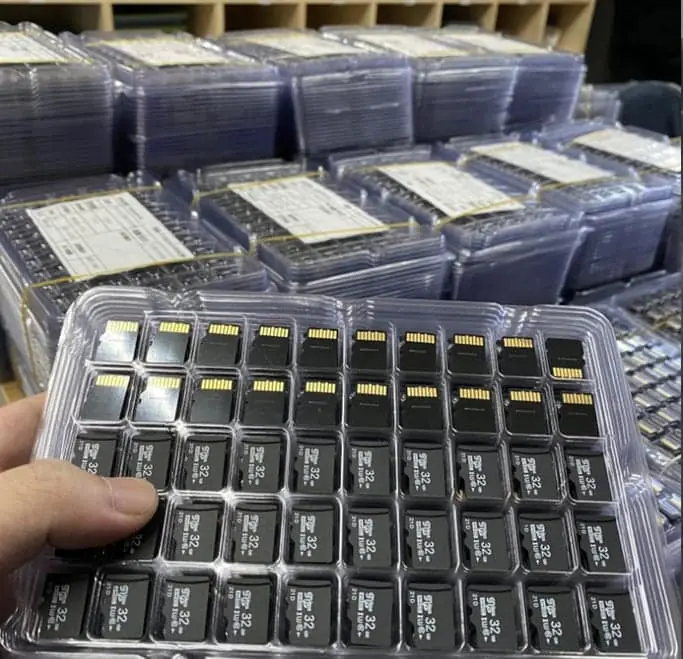
We make the card, so the test scope is ours to run rather than something we relay from a third party. For fleet work the relevant starting points are the TF card product range, the monitoring-grade card specification and the semi-finished board if you build your own enclosure.
Two things we will not do: publish an endurance figure as a catalogue default, because it is confirmed against the die actually allocated to your order; and quote a delivery date that assumes your artwork approval takes zero days. The commercial basis is on the custom memory cards page, and the quote form is where a specification like the one above should land.
Where to go next
- Why dashcam cards drop frames when they get hot — the thermal side of gate 2, in detail.
- Capacity bands: where they stop making sense — before you assume 256 GB is the safe answer.
- Certificate of conformance: what it says — the document that makes lot consistency checkable.
- Custom flash MOQ: where the number comes from — if the fleet order is part of a larger programme.
- How long a custom microSD order takes — the four stages, including the one you control.
- TF card vs microSD — one component, two names, and why that ends up as two PO lines.
Sources
- SD Association — SD Specifications, Speed Class and Application Performance Class
- SD Association — exFAT file system specification and usage notes
- Microsoft Learn — exFAT file system specification
- Microsoft Learn — FAT32 maximum volume and file size limits
- Linux kernel documentation — MMC/SD subsystem
- JEDEC — JESD84 / eMMC and managed NAND standards
Frequently asked questions
Does a dashcam need an "endurance" or "high-endurance" microSD card?
A dashcam writes continuously whenever the ignition is on, so the card sees far more program/erase cycles per year than a phone card. Cards marketed for high-endurance or surveillance use are built with that write profile in mind. Whether a specific card is suitable depends on the manufacturer's published endurance figure — ask for it in writing rather than relying on the label alone.
Should I standardise on 32 GB, 64 GB or 128 GB for a fleet?
It depends on how long the camera must retain footage and how the camera handles loop recording. Cameras that only support FAT32 cannot use volumes above 32 GB without workarounds, so 32 GB is the safe ceiling there. Cameras that support exFAT can use 64 GB and above, which reduces how often old footage is overwritten but increases per-unit cost and the amount of data lost if a card fails.
Can I use the same card in dashcams and in the fleet's handheld terminals?
Only if both devices accept the same file system, capacity and speed class. Mixing roles also mixes write profiles — a card pulled from a 24/7 dashcam and dropped into a handheld will have far more wear than the handheld expects. Keep separate stock lines and separate part numbers.
What should I ask the supplier to put in the certificate of conformance?
Capacity, file system as shipped, speed class marking, controller and flash vendor/lot where the supplier can disclose it, firmware/configuration version, and the test performed on the sample lot. Ask for the same fields on every shipment so incoming inspection can compare against the approved sample.
How do I avoid cards that report the wrong capacity?
Test a sample from every lot with a capacity-verification tool that writes and reads back the full address space, not just a quick format. Counterfeit or downgraded cards typically show up as write failures or read-back mismatches beyond the real die capacity. Make full-surface verification part of the sample acceptance step, not just the first order.