
How a school tablet card batch is released: insert-cycle wear, wipe-and-restore, batch consistency, and cost per device-year — the four gates that predict field failure in education.

A card in a shared school tablet is removed, swapped and reinserted far more often than anyone plans for. That decides more of the failure rate than capacity, speed class or brand. No datasheet mentions it.
The short answer
Four gates decide whether an education batch is released:
- Insert and remove cycles on the actual tablet, not on a card reader.
- Wipe-and-restore after a pupil deletes everything, including the folder structure the reader expects.
- Batch consistency across the delivery, because a school orders once and replaces in dribs and drabs.
- Cost per device-year, which is the only number a budget committee can compare.
Standardise on 32 GB. It stays in SDHC and formats as FAT32 by default. Most tablets, e-readers and older Chromebooks mount it without argument.
The four gates
| Gate | What is checked | Pass criterion | What it catches |
|---|---|---|---|
| 1. Insert-cycle wear | 500+ insert and remove cycles in the device’s own slot, then a full read-back | No enumeration failure, no contact dropout | Weak plating and loose tolerances, which show up in term two |
| 2. Wipe and restore | Card formatted by a pupil, then restored from the school’s image | Card mounts, folder structure and content identical | Cards whose partition layout cannot be rebuilt by the deployment tool |
| 3. Batch consistency | Ten units from the delivery compared against the approved sample | Same controller, die marking, capacity and file system | A second delivery that behaves differently from the first |
| 4. Cost per device-year | Unit price divided by expected service life, against the replacement rate | Replacement rate stated, not assumed | The cheapest card that costs most per year |
Gate 1 predicts field failure in education. A card reader tests the card. Only the tablet tests the slot.
What to write into the specification
| Decision | The trap if you leave it vague | What goes on the purchase order |
|---|---|---|
| Capacity and file system | 64 GB specified, the e-reader only mounts FAT32, half the delivery is “blank” | 32 GB SDHC, FAT32, cluster size |
| Speed class | Paying for A2 on a fleet that only stores PDFs and video | A1 (or Class 10) — A2 only if the OS runs apps from the card |
| Preload and folder structure | Cards arrive blank, IT rebuilds 800 of them by hand | Image, folder layout, volume label, and whether cards ship preloaded |
| Marking | Every card identical, so a card from year one cannot be told from year three | School or device-batch code on the label |
| Packing | Bulk bag, then the school repacks into 30 classes | Individually labelled sleeves or class-sized packs |
| Replacement | One order, no plan for the next intake | Agreed reorder quantity and a fixed specification to reorder against |
The preload row saves more money than any price negotiation. An IT technician imaging 800 cards by hand is a cost that never appears on the quotation.
Five things that actually go wrong
The slot, not the card. Shared tablets are handled by children. Contacts wear, cards go in at an angle, and a card that passed a reader test fails in the device.
A pupil formats the card. The card is fine; the partition layout is gone, and the deployment tool cannot rebuild it because nobody wrote down what it was.
The second delivery is not the first. The school orders 300 in September and 60 in January. The January batch carries a different controller and behaves differently under the same image.
FAT32 versus SDXC. Cards above 32 GB ship as exFAT. Devices with a FAT32-only kernel report them as blank or unreadable. This one is a specification error, not a defect.
No reorder specification. When the cards run out, someone buys “the same ones” from a marketplace listing that shares only the capacity.
When 32 GB is the wrong answer
If the deployment stores video lessons offline, and the tablet mounts exFAT, a 64 GB SDXC card halves how often content is rotated. Test it on the exact model first. Test it on the firmware. The failure mode is silent. It shows up as “card not supported” in front of a class.
What we supply
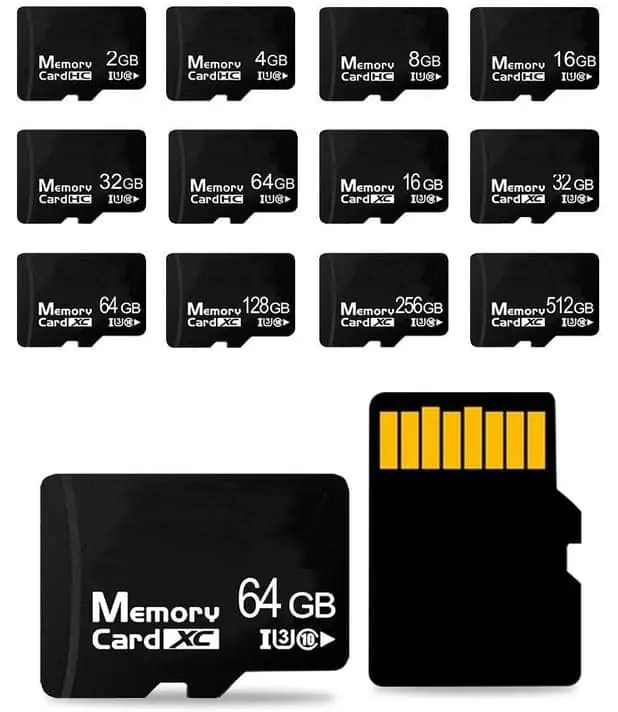
Cards for education usually mean printed labels, a fixed file system and packing that survives a school store room. The custom memory card range covers capacity, print and packing, the monitoring-grade specification covers the ruggedised option, and the TF card specification template is the document to hand to IT before asking for a price.
MOQ is 50 pieces per design, so a pilot for one year group is a normal order. Artwork and approval 1–7 days, production 3–15 working days, testing 1–5 working days, transit 3–20 days.
Where to go next
- SDHC vs SDXC: capacity and file system — why the 32 GB boundary matters more than the number.
- A1 vs A2 application performance — when the app class earns its premium.
- Preloading software on custom drives — how the imaging step is scoped.
- Variable data: a different name on every unit — per-class or per-pupil labelling.
Sources
- SD Association — Capacity and File System (SDXC/SDHC)
- SD Association — Speed Class, UHS Speed Class, Video Speed Class
- Microsoft Learn — exFAT file system specification
- Microsoft Support — FAT32 file size limit and formatting options
- Apple Developer — External storage and file system support on iOS/iPadOS
- Linux kernel documentation — MMC/SD subsystem
- JEDEC — JESD84 / JESD22 reliability and endurance context
Frequently asked questions
What capacity should I standardize on for a school tablet fleet?
Most K–12 and lower-secondary fleets standardize on 32 GB SDHC, because it is the largest capacity that still formats as FAT32 by default and is accepted by the widest range of Android tablets, e-readers and older Chromebooks. Move to 64 GB SDXC only after you have confirmed, on the exact device model and firmware, that exFAT is mounted natively.
Why do some e-readers reject a 64 GB or 128 GB card?
Cards above 32 GB are SDXC and ship formatted as exFAT. Devices whose kernel or firmware only includes a FAT32 driver will mount the card as unreadable or blank. The fix is either to reformat the card as FAT32 (which then breaks files over 4 GB) or to specify an SDHC card at the BOM stage.
Do I need A1 or A2 for an education tablet?
A1/A2 are application-performance classes defined by the SD Association for running apps from the card. If your deployment only stores PDFs, EPUBs, video and audio, A1 is sufficient and cheaper. Specify A2 only if the OS actually installs and runs apps from removable storage.
Can I pre-load content onto the cards before shipment?
Pre-loading is a common request for education deployments. It requires an exact content manifest, a defined file system, a checksum per card, and a re-test step after writing. Confirm the manifest format, checksum method and rejection criteria with your supplier before the order is placed, not after.
Is a cheaper card acceptable for e-readers?
E-readers write very little — mostly sideloaded books and firmware updates. Read speed and capacity matter more than endurance. The risk is not wear-out, it is counterfeit capacity and poor random-read performance on large EPUB or PDF libraries. Buy from a supplier that can show a capacity verification method.