
Fake capacity USB drives are a real problem in wholesale orders. Here is how they work, how to test for them, and what a legitimate factory does to guarantee real capacity.
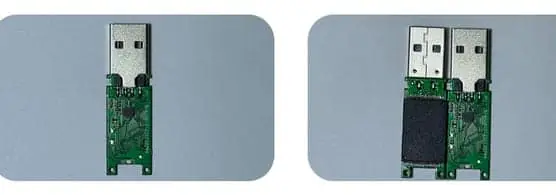
Fake capacity (also called 'upgrade' or 'expand' flash drives) are drives where the controller is programmed to report a higher capacity than the actual NAND chip. They work normally until you fill them past the real capacity, at which point data silently corrupts. The only reliable way to detect them is to fill every drive with test data and verify it can be read back — a full capacity test. At WINTEL we do this 100% on every unit before packing, not by sampling.
The short answer: you fill it up completely with data, then read it back and check if it is all there. If it is not, the capacity is fake.
A buyer showed me a drive that “tested fine” on a quick format — then lost a client’s presentation when the file vanished past 8GB on a “64GB” stick. Quick formats lie. Full tests do not. Here is how to tell the real from the fake before you order.
Fake-capacity drives are the one scam I warn every new buyer about, because they look perfect until you fill them — and then your data is gone.
Fake capacity flash drives — also called “upgraded” or “expand” drives — are the oldest scam in the USB business. A 8GB chip is programmed to report 128GB to your computer. It works fine as long as you never put more than 8GB on it. Then one day you copy a 10GB file, and half of it is corrupted — but you only find out later, when you actually need the data.
This is why testing matters. And this is why “how do I know they are real?” is the first question every smart buyer asks.
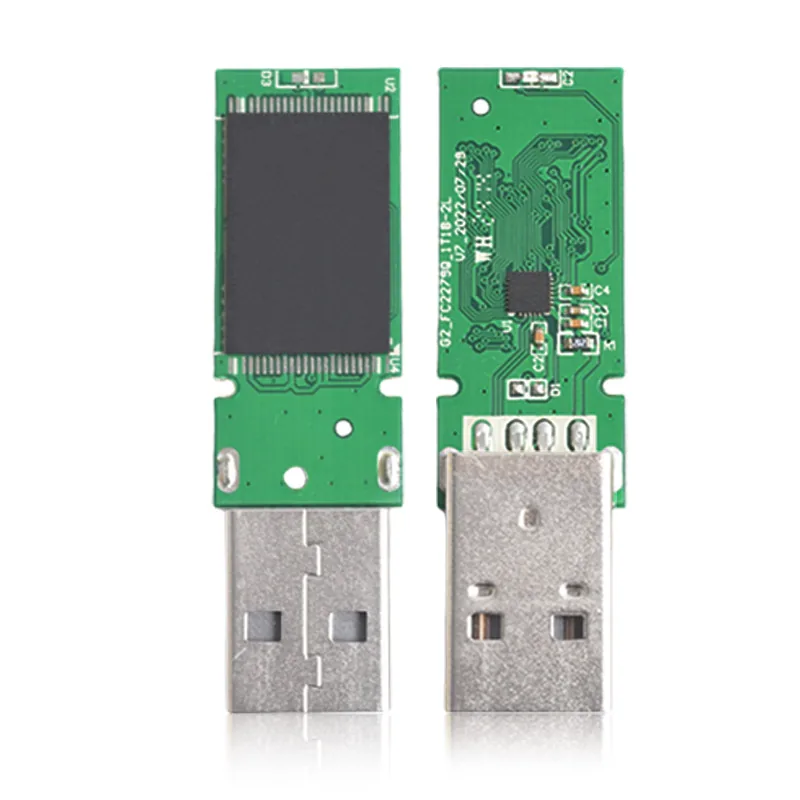
How fake capacity works
It is not magic. It is just a firmware hack.
Every USB flash drive has a controller chip that sits between the USB port and the NAND memory. The controller tells the computer how big the drive is.
In a fake drive, someone modifies the controller firmware so it reports a bigger number than the actual chip size. The computer believes what the controller says.
The scam works because:
- Windows / Mac only checks what the controller reports
- Most people never fill the drive past the real capacity
- By the time the customer discovers the problem, the seller is gone
You can have a drive that says “128GB” and only has 8GB of real memory, and you might not notice for months — as long as you never put more than 8GB on it.
How to test for real capacity
The only reliable test: write data to every byte of the drive, then read it all back and verify it matches.
This is commonly called:
- Full capacity test
- Fill test
- H2testw (after the popular Windows tool)
- Burn-in test
What a proper test does:
- Writes a known pattern (or random data) to the entire drive
- Reads it all back
- Compares what was read to what was written
- Reports any errors or bad blocks
Tools like H2testw, f3 (Fight Flash Fraud), and BadUSB do exactly this. We use industrial test machines that do the same thing but much faster, and on 20–40 drives at once.
What does NOT work:
- Just looking at the capacity in Windows / Mac
- Copying one small file and seeing if it opens
- “Check disk” or any built-in OS utility
- Any test that does not write to the full capacity
If the test only touches the first few GB, it will never find the fake.
What we test on every unit
Before any order is packed, every single drive goes through our test station. We test:
| Test | What it checks |
|---|---|
| Full capacity test | Is the reported capacity real? Can you fill the whole drive? |
| Read speed test | Does it meet the minimum speed spec? |
| Write speed test | Can it write at the rated speed across the full capacity? |
| Data integrity | After writing, does the data read back correctly? |
| Bad blocks | Are there any bad sectors? |
| Capacity grading | Which speed grade does it fall into? |
If a drive fails any test, it goes to the reject bin. You only receive drives that pass everything.
Why sampling is not enough
Some factories say “we test 5% of every batch.” That sounds reasonable until you think about it.
If a batch of 500 drives has 50 fake units (10%), and you test 25 (5%), there is about a 27% chance you catch zero fakes. In other words, you have almost a 1 in 3 chance of shipping a batch with 10% bad drives and never knowing.
100% testing is the only way to guarantee every unit is good.
Yes, it takes time. Yes, it costs more. And yes, it is worth it — because one bad batch that reaches your customers costs more in reputational damage than a lifetime of testing fees.
How to spot a fake before you order
If you are comparing quotes and one is much cheaper than the others:
- Ask specifically: “Do you do 100% full capacity testing?” If they say “sample QC” or “spot check” — walk away.
- If the price is 30% below everyone else, it is fake capacity. The NAND chip is 60–70% of the cost. There is no way to be that much cheaper with the same chip.
- Ask for test records from a previous similar order. A real factory will have them.
- Order samples first and test them yourself. Run H2testw or f3 on every sample. If even one fails, do not place the order.
The most important line in every quote
Look for this: “100% full capacity and R/W test per unit.”
If it is not there, ask for it explicitly. If they will not put it in writing, do not buy from them.
Want a quote you can trust — with 100% testing included? Request a quote and I will send you a breakdown that includes testing, what we test, and how the records are kept. No shortcuts, no fakes, no surprises.
If a supplier will not show you a full write-read test on every unit, assume the capacity is a lie. I would rather prove ours 100% than sell you a number on a label.
How to catch a fake before you pay
| Check | Fake drive behaviour | What we do at WINTEL |
|---|---|---|
| Quick format | Passes — it never writes data | Not accepted as proof |
| Fill to capacity with test data | Fails or corrupts past real size | 100% write-read on every unit |
| Controller ID read | Mismatched or generic chip | Logged per lot, tied to the die mark |
| Price vs market NAND | Far below real chip cost | Quoted at real grade, no mystery |
| H2testw / F3 result | Reports fake capacity | Provided on request, per batch |
| Supplier proof | “trust me” | Full test log, sample verifiable |
If a supplier will not show you a full write-read test on every unit, the capacity number on the label is a suggestion. I would rather prove ours 100% than sell you a number you cannot trust.
Frequently asked questions
What is a 'fake capacity' USB drive?
A fake or 'upgraded' drive has a smaller memory chip than advertised, but the controller firmware is hacked to report a larger capacity to the operating system. It works until you try to store more than the real amount, then data gets corrupted or lost.
How common is this in wholesale orders from China?
Unfortunately, quite common at the very lowest price points. Some suppliers deliberately sell upgraded drives to undercut the market. If a quote is 30–50% below everyone else, it is almost certainly fake capacity.
Can I tell just by looking at the drive?
No. Fake capacity drives look identical on the outside. The only way to tell is to test the full capacity by writing data to the entire drive and reading it back.
Do you test every single drive or just a sample?
Every single drive. 100% full capacity and read/write test before packing. We keep test records tied to the lot code, so we can trace any problem back to the specific batch.
What should I do if I receive fake capacity drives?
Contact the supplier immediately. If they are a legitimate factory they should replace the whole batch. If they disappear or refuse, that is why it is worth paying slightly more for a supplier you can trust.