Double-sided printing on custom USB drives — cost difference, alignment, which bodies work best, and when two-sided printing is actually worth the extra cost.
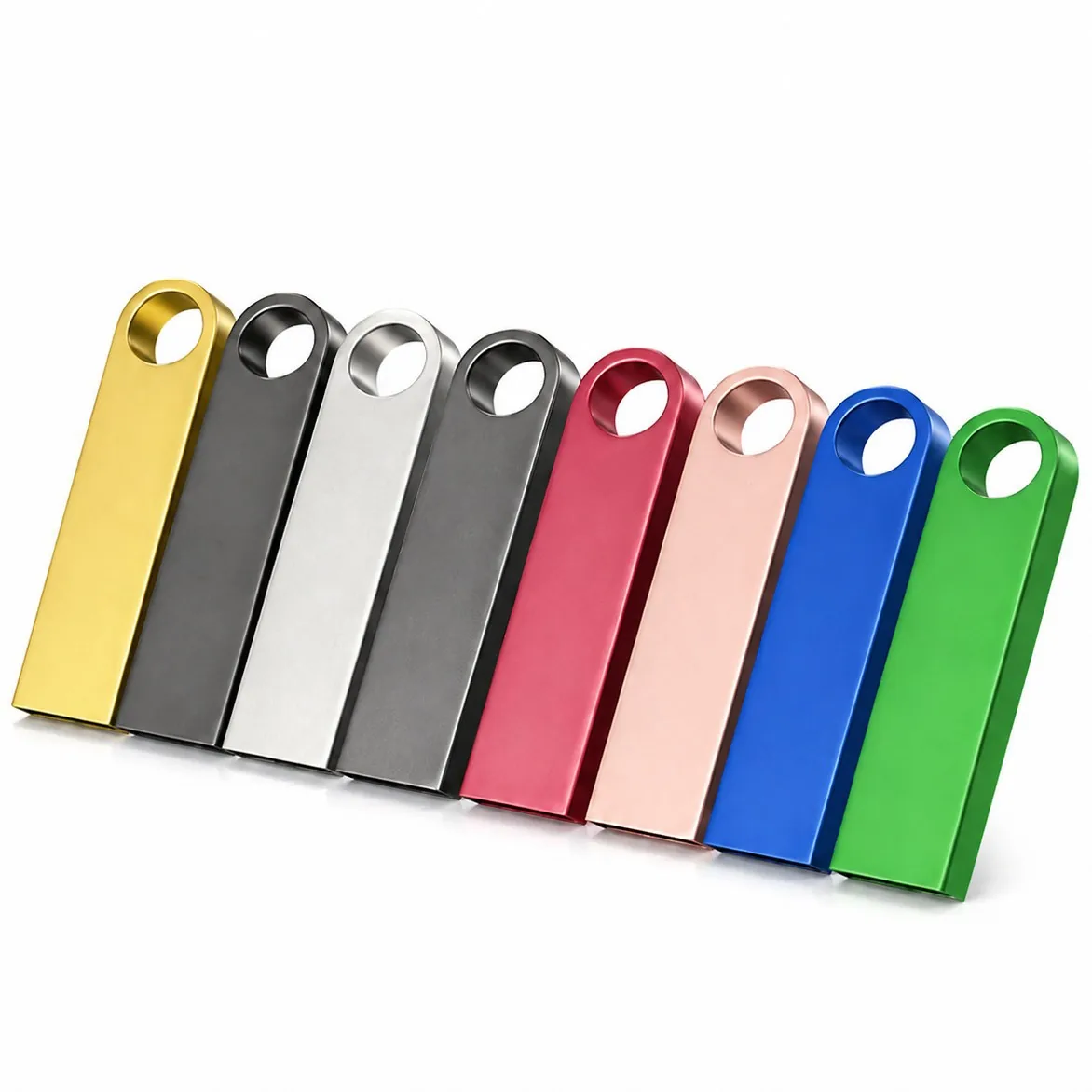
Yes, we can print on both the front and back of most custom USB drive bodies. Two-sided printing costs roughly 50–70% more than one-sided because it requires a second print setup, a second run, and careful alignment between the two sides. It works best on flat-bodied drives where both sides are the same shape. Cylindrical, curved or 3D bodies are harder and sometimes not possible on both sides. WINTEL supplies this from its own plant in Shenzhen, China.
The short answer: yes — most flat USB bodies can be printed on both sides, at roughly 50–70% more than one-sided printing.
The second side earns its cost only in two cases: the artwork genuinely needs both faces (a back pattern, a regulatory block, a second language), or the first side is too busy to hold everything. If your design fits on one side, printing both just doubles setup and adds a registration risk where the two prints can drift. Ask yourself what the back actually carries before paying for it.
Double-sided print sounds like “twice the logo” but it is really “twice the setup and a registration risk” — worth it only for the right artwork.
People often ask for two-sided print without really thinking about whether they need it. “More space must be better,” they figure, and they add the extra cost without asking what goes on the back.
Sometimes it is worth it. Often it is not. Here is how two-sided printing works, what it costs, and when you should actually use it.
What you get — and what it costs
| Print type | Cost per unit | Setup | Best for |
|---|---|---|---|
| One-sided, 1 colour | 0.10–0.30 USD | Included at 50+ pcs | Simple logo, most promotional orders |
| Two-sided, 1 colour each | 0.15–0.50 USD | Included | Logo front + text back, same colour |
| One-sided, full colour UV | 0.30–0.80 USD | Included | Photographs, gradients, multi-colour logos |
| Two-sided, full colour UV | 0.50–1.40 USD | Included | Full graphics both sides |
The percentage increase is about 50–70% because there are two plates, two setups, and two print runs — but the second side is slightly cheaper than the first (since the body is already in the line).
For a 500-piece order at 0.20 USD one-sided, two-sided adds about 50 USD to the total. Not a huge amount, but worth asking: is the second side worth 50 dollars?
What works well on the back side
If you are going to pay for two sides, put something useful on the back. These are the most common (and most useful):
- Website URL or QR code
- Capacity marking (8GB, 16GB, 32GB, etc.)
- Phone / email contact info
- Product model number or SKU
- Tagline or short message
- Serial numbers (for asset tracking)
- Patent / certification marks
What does not work well on the back:
- Another full logo (it is redundant — the front is the logo side)
- Long paragraphs of text (nobody reads them)
- Tiny fine print (it will be blurry and unreadable)
- Complicated graphics (too small to make out)
If you cannot think of something useful to put on the back, you probably do not need two-sided printing. Save the money.
Alignment — the hidden challenge
The tricky part of two-sided printing is not the printing itself. It is getting the two sides lined up correctly.
When you print the front, the body is placed in a jig. Then you flip it and print the back, in another jig. The alignment between the two sides depends on how precisely the body sits in the jig both times.
| Body type | Alignment accuracy | Two-sided print recommended? |
|---|---|---|
| Flat rectangular | ±0.15 mm | ✅ Excellent |
| Rounded rectangular | ±0.2 mm | ✅ Good |
| Cylindrical / round | ±0.5 mm | ⚠️ Possible but not great |
| Swivel / rotating | N/A | ❌ Not possible (cap moves) |
| 3D / custom shape | Varies | ⚠️ Depends on the shape |
For 95% of orders, the alignment is good enough that you cannot see the difference. But if you have a design where the front and back have to line up perfectly (edge-to-edge pattern, fold-over design etc.), let us know up front so we can check whether the body can handle it.
The most common mistake with two-sided print
Designing the back as an afterthought.
People spend hours perfecting the front logo, then 5 minutes before sending the order they write “oh, put our website on the back too” — in 6 pt text, in the wrong font, not aligned properly.
Result: the back looks cheap, even though the front looks great. And you paid extra for it.
If you are going to do two sides, treat the back as a real design. Give it the same attention. It is worth it — because the back is what people see when they plug the drive in, or flip it over to read the capacity.
When it is actually worth it
Worth the extra cost if:
- You need a different message on each side (logo + contact info)
- You need capacity marking on the back
- The drive is a premium gift and the finish has to feel complete
- You are using it for asset tracking (serial numbers on back)
Not worth it if:
- You just want “more space” but have nothing to put there
- It is a one-off giveaway and nobody will look at the back
- The body is curved and the alignment will be poor anyway
As a rule of thumb: if you can describe in one sentence what goes on the back and why it matters, do it. If you cannot, save the money.
Want to see a two-sided mock-up for your specific drive? Send us your logo and the body you are considering and I will send you a digital proof of both sides — no cost, no obligation.
I will tell you if your design actually needs the second side. A supplier who prints both sides by default is either charging you twice or covering a weak first side.
When in doubt, send me the artwork and I will tell you whether the second side is earning its cost or just adding one.
Frequently asked questions
How much extra does two-sided printing cost?
About 50–70% more than one-sided printing. So if one-colour one-sided print is 0.20 USD, two-sided would be about 0.30–0.35 USD per unit. The exact price depends on the print method and number of colours.
Is the print aligned front-to-back?
Yes — we align the two sides within about 0.2 mm tolerance. For a well-designed drive body you cannot see the misalignment. For very precise designs (edge-to-edge graphics), we recommend a digital mock-up first.
Can we print different artwork on each side?
Absolutely. Most customers print their logo on the front and contact info / website / capacity on the back. Two different designs use two print plates, same as two different colours.
Which USB bodies work best for two-sided printing?
Flat rectangular bodies (slim metal, card format, rectangular plastic) work best. Cylindrical bodies, swivel bodies with a rotating cap, and 3D shapes are harder or impossible to print on both sides cleanly.
Does two-sided printing add to the lead time?
Yes — about 1–2 extra working days, because it is a second print run and an extra QC step to check alignment. For rush orders we can sometimes do it faster for an additional fee.