
What the speed ratings on a microSD card actually mean — Class 10, UHS Speed Class, Video Speed Class and Application Performance Class, and which one you really need.
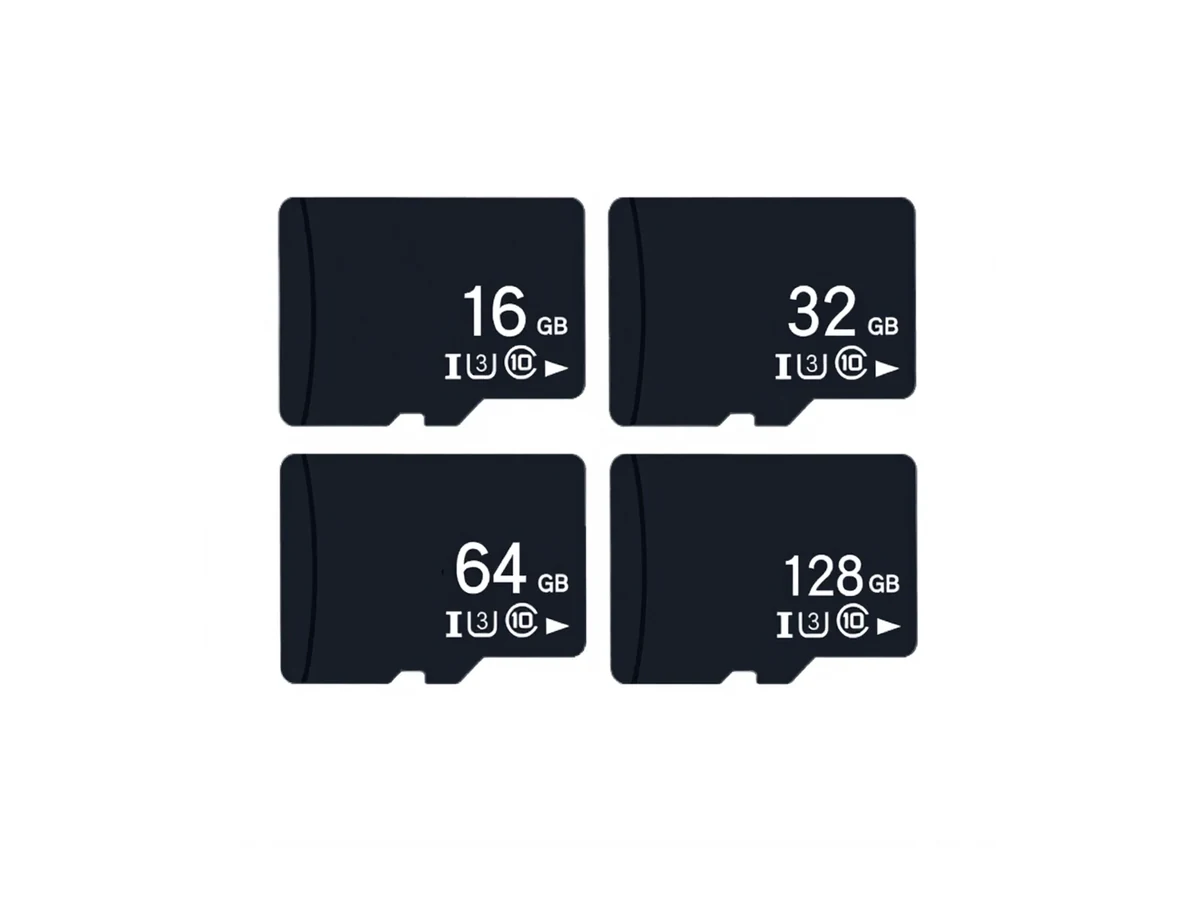
microSD cards carry up to four speed ratings that measure different things. Class 10 means at least 10 MB/s sequential write — the minimum for HD video recording. U1 and U3 are UHS Speed Classes (10 MB/s and 30 MB/s minimum write). V10, V30 and V60 are Video Speed Classes, defined for sustained video recording. A1 and A2 are Application Performance Classes, measuring random read and write performance for apps running directly from the card. For most users, U3 / V30 is the practical minimum for 4K cameras and high-end phones; A2 matters only if you run apps from the card. WINTEL supplies this from its own plant in Shenzhen, China.
The short answer: the card has four different speed ratings, and they measure four different things.
Speed class confused me the first time a customer asked, and it confuses most buyers still — because the letters (C10, U3, V30) measure different things and a card can pass one and fail another.
Most people look at a microSD card and see a jumble of letters and numbers — Class 10, U1, V30, A2. They are not grades from best to worst. They are separate test standards, each checking a different kind of performance.
This page explains what each rating means, which one actually matters for what you are doing, and where you are paying for speed you will never use.
The four rating systems on one card
A single card can carry all four ratings at once. Each one answers a different question.
| Rating system | What it measures | Common ratings | Who needs to care |
|---|---|---|---|
| Speed Class | Minimum sequential write | Class 2, 4, 6, 10 | Anyone recording video |
| UHS Speed Class | Minimum write on UHS bus | U1 (10 MB/s), U3 (30 MB/s) | Anyone with a UHS-I device |
| Video Speed Class | Sustained write for video | V10, V30, V60, V90 | Camera and dashcam users |
| Application Class | Random read/write performance | A1, A2 | Phones running apps from the card |
The highest number is not always the most important one. For a dashcam, V30 matters more than A2. For a phone running apps, A2 matters more than V30. For simple file storage, Class 10 is enough and anything above it is wasted money.
Speed Class — the original, and still the baseline
The original speed class system was introduced when SD cards were mostly for cameras and “speed” meant how fast you could write a photo to the card.
It uses a simple rule: the class number is the minimum guaranteed write speed in MB/s.
| Class | Minimum write speed | Typical use |
|---|---|---|
| Class 2 | 2 MB/s | Standard-definition video recording |
| Class 4 | 4 MB/s | HD video (720p) recording |
| Class 6 | 6 MB/s | Full HD (1080p) recording |
| Class 10 | 10 MB/s | Full HD video, burst photos |
Class 10 is the practical baseline today. Almost every card sold is Class 10 or better, and any device made in the last 10 years expects at least Class 10.
The catch: it only measures sequential write (one big file), and only the minimum. A Class 10 card might write at 12 MB/s or 90 MB/s — both pass the test.
UHS Speed Class — the one people usually mean
When people say “is this a fast card?” they are usually asking about UHS Speed Class. It uses the same idea as Speed Class (minimum write speed) but on the faster UHS bus.
| UHS Class | Minimum write speed | Marking on the card |
|---|---|---|
| U1 | 10 MB/s | A “U” shape with a “1” inside |
| U3 | 30 MB/s | A “U” shape with a “3” inside |
U1 is the same speed floor as Class 10, but over the faster UHS bus — so the burst and read speeds are higher, even if the minimum write is the same.
U3 is the standard for 4K video, high-burst photography, and anything that needs sustained write above 10 MB/s. It is the most common “premium” rating on mid-range cards.
Video Speed Class — for when it absolutely cannot drop
Video Speed Class is the newest system, and the strictest. It was designed for 4K, 8K, 360-degree and high-frame-rate video, where a single dropped frame ruins the whole clip.
| Video Class | Minimum sustained write | Typical use |
|---|---|---|
| V10 | 10 MB/s | Full HD video |
| V30 | 30 MB/s | 4K video at up to 30 fps |
| V60 | 60 MB/s | 4K at 60 fps, 8K at 24 fps |
| V90 | 90 MB/s | 8K high frame rate, professional video |
V30 is the sweet spot for most consumer cameras, action cameras and dashcams. It guarantees enough speed for 4K 30fps with headroom.
Why this is different from U3: U3 and V30 both guarantee 30 MB/s, but V30 is tested under more demanding conditions (longer duration, more variables). In practice, a V30 card is always U3, but not every U3 card is formally tested to V30.
Application Class — for phones, and basically nothing else
Application Performance Class (A1 / A2) measures random read and write speed — the kind of performance you get when an app is loading small files from the card.
| App Class | Random read IOPS | Random write IOPS | Sustained write |
|---|---|---|---|
| A1 | 1500 | 500 | 10 MB/s |
| A2 | 4000 | 2000 | 10 MB/s |
This is the most overrated rating on the card. A2 makes zero difference for cameras, dashcams, file storage, or anything that is not running apps directly from the card.
If you are using the card in a phone and moving apps onto it, get A2. For everything else, save your money and get A1 (or no app class at all).
Which one do you actually need?
| Device / use case | Minimum you need | Recommended | What is wasted |
|---|---|---|---|
| Document storage / backup | Class 10 | U1 | U3, V30, A2 |
| Full HD dashcam / CCTV | Class 10 / V10 | U1 / V10 | A2, V60+ |
| 4K camera / GoPro / action cam | U3 / V30 | V30 A1 | A2 (unless you edit on the card) |
| Phone app storage | A1 | A2 U3 | V60+ |
| Industrial / continuous logging | U1 | U3 | V rating (not tested for video) |
The biggest waste of money is buying a V60 or V90 card for a dashcam that only writes at 8 MB/s. The card cannot make the device faster. The device sets the ceiling.
One important thing about “up to” speeds
Card manufacturers love to advertise “up to 100 MB/s!” on the front of the package. What they do not tell you:
- It is read speed, not write speed. Write is usually much lower.
- It is the peak speed, not the sustained speed. A card that peaks at 100 MB/s might sustain at 12 MB/s.
- It is measured on the best possible card reader on a desktop. In your phone or camera it will be slower.
The rated minimum (Class 10, U3, V30) is the number you can actually count on. The “up to” number is marketing.
Still not sure which rating is right for your device? Send us the device model and what you use it for and I will tell you exactly what you need — and what you do not.
A class number on the card is not a promise about your device. I would rather you tell me what the card goes into than guess from the label.
Frequently asked questions
Which microSD speed class do I need for 4K video?
For 4K video recording you need at least U3 / V30, which guarantees a minimum sustained write speed of 30 MB/s. V60 is safer for 4K at 60 fps or higher bitrates.
What is the difference between A1 and A2?
A1 guarantees at least 1500 random read IOPS and 500 write IOPS. A2 raises that to 4000 read IOPS and 2000 write IOPS. It only matters if you run apps directly from the card — for storage or video it makes no difference.
Is U3 faster than Class 10?
U3 guarantees 30 MB/s minimum sustained write. Class 10 guarantees only 10 MB/s. A U3 card is always at least as fast as Class 10, and usually much faster.
Do all microSD cards with the same rating perform the same?
No. The rating is a minimum, not a typical speed. Two V30 cards can have very different real-world speeds — one might write at 35 MB/s and another at 90 MB/s, and both still pass V30.
Does the device matter as much as the card?
Yes. The card only performs as fast as the host device allows. A U3 card in a cheap dashcam that only writes at 8 MB/s will never show its real speed. Check the device specs first.